Cal
See every week clearly
Weekly and monthly views stay together. Recurring sessions are generated automatically, while one-off appointments remain easy to add.
A local workspace for therapists
Organize bookings, clients, schedules, notes, and practice reviews. Core practice data stays on your computer, while online booking and Snowball Assistant remain available when you choose to use them.

In independent practice, you care for everything from the first booking to every note and review.
Online booking
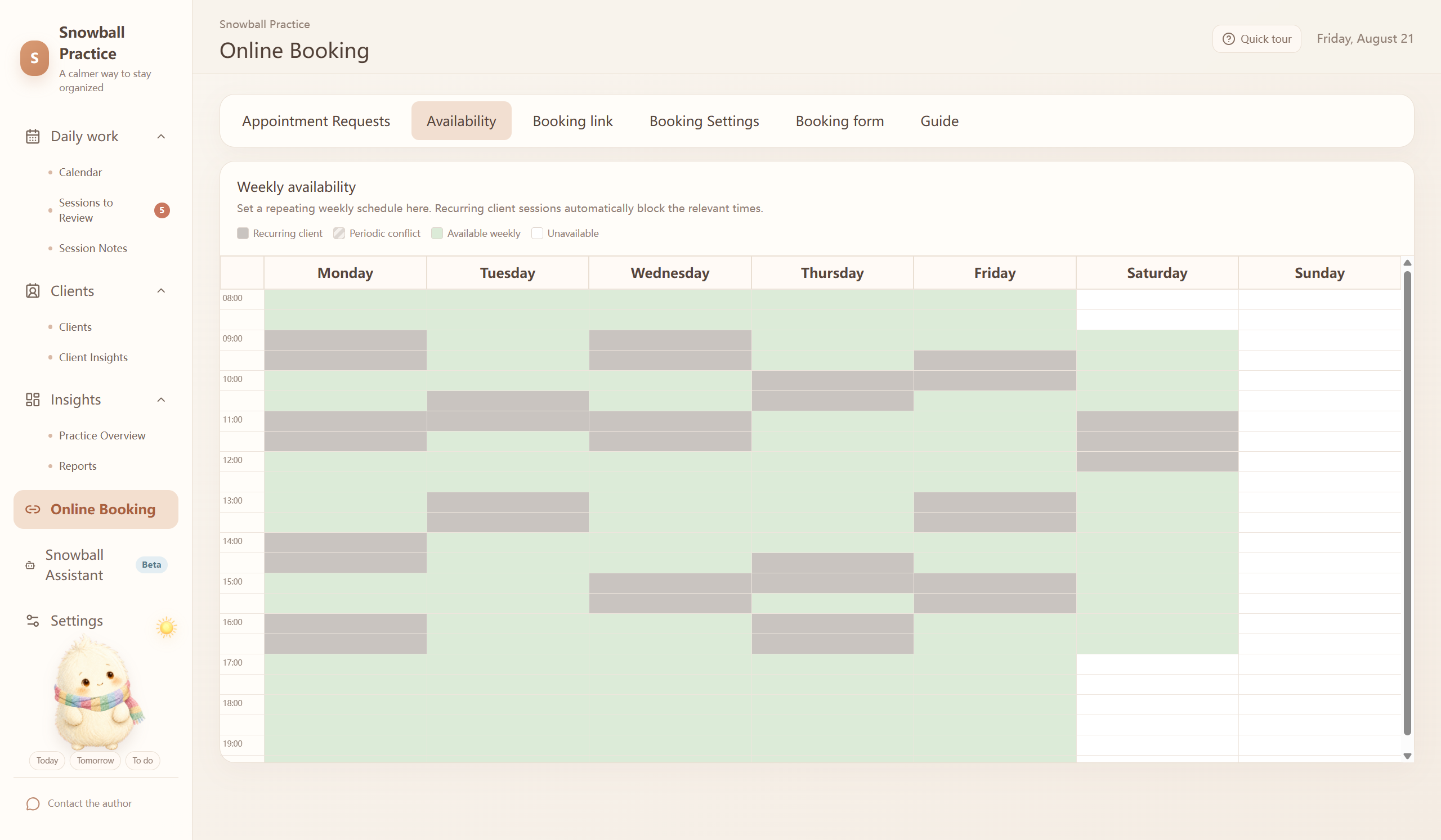
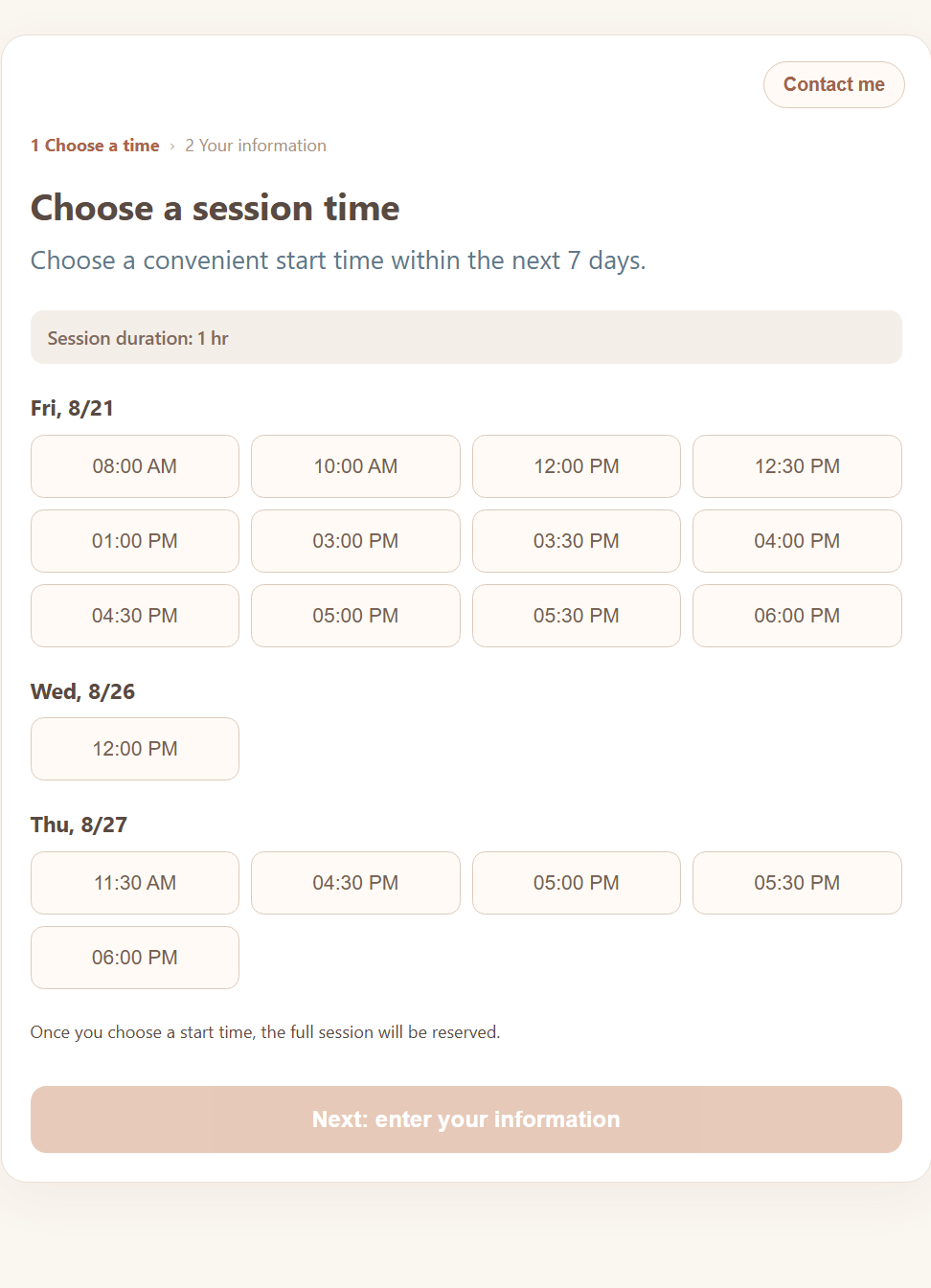
Select the times you want to offer and share your private link. Visitors choose a session time first, then review your information and complete the booking form. Every request returns to your workspace for your approval.
Why has work felt so full lately?
Completed sessions increased compared with the previous two weeks, and evening appointments were more concentrated. Four notes are also still waiting to be completed. The pressure may come not only from session volume, but also from delayed follow-up work.
Snowball Assistant · Beta
Connect your own model and ask in plain language about workload, time distribution, income changes, schedule stability, client flow, note backlog, and booking outcomes.
Anonymous summaries are sent by default. Models are called only when you ask, and names, contact details, and session-note text are not sent.
Daily practice
Designed for the rhythm of independent work—not as a complex clinic system and not to force a new workflow. It simply gathers the things you need to organize each day.
Weekly and monthly views stay together. Recurring sessions are generated automatically, while one-off appointments remain easy to add.
Configure service types, referral sources, fees, duration, and service status in the way that fits your practice.
Find a client first, then review unfinished and completed notes together in a clear history.
Create single-choice, multiple-choice, numeric, and text fields instead of being confined to a fixed template.
Review sessions, hours, and income by week, month, quarter, or year without going back through your calendar.
Automatic backups, manual backups, and restores all happen locally, with a snapshot created before upgrades.
Real interface
No need to imagine how it works. See how Snowball Practice organizes clients, schedules, notes, and reviews.
Clear data boundaries
Existing client files, session notes, fees, profiles, and statistics stay on your computer. Online booking syncs only anonymous busy times. Snowball Assistant calculates locally before sending the anonymous results you allow to your chosen model.
Every connected feature is optional. Snowball Assistant calls a model only after you send a question and cannot change schedules, clients, notes, fees, or bookings.
Workspace companion
Snowball does not judge your work or push streaks and points. It simply brings a small greeting and sense of companionship when you open the workspace.
Before you start
No. New versions keep using the same local data directory. We still recommend making a manual backup before an upgrade.
May the tool ask for less attention,
so your work can feel more spacious.